Setting Up Snowcloak
Now that all the important plugins are installed, it's time to log in and set up Snowcloak.
Initial Setup
If you're not already logged in on a character, do so now - the setup screen waits for this.
If Snowcloak's UI didn't open automatically, you can use either the Dalamud Plugins window or the commands /sync or /snow in chat.
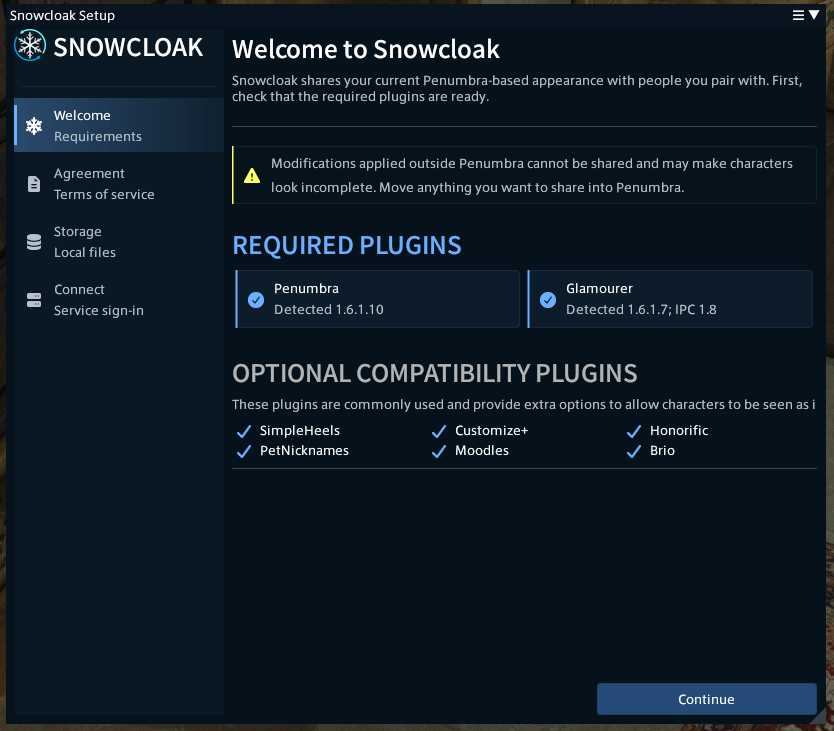
Setup is a four-step process, beginning with checking the plugins you have installed. This is a simple check to make sure Penumbra and Glamourer are installed, as well as giving you a reference list of the optional plugins.
If all looks good, hit next to continue to the Terms of Service. As you'd expect, this outlines the rules and privacy policy, so you're asked to give them a quick read before continuing.
After the TOS, you'll be asked to choose where to store Snowcloak's files. The recommended location is C:/Snowcloak, or
somewhere similar on another drive. After confirming that, you'll be able to choose how many files to store, and how Snowcloak gets rid of old ones.
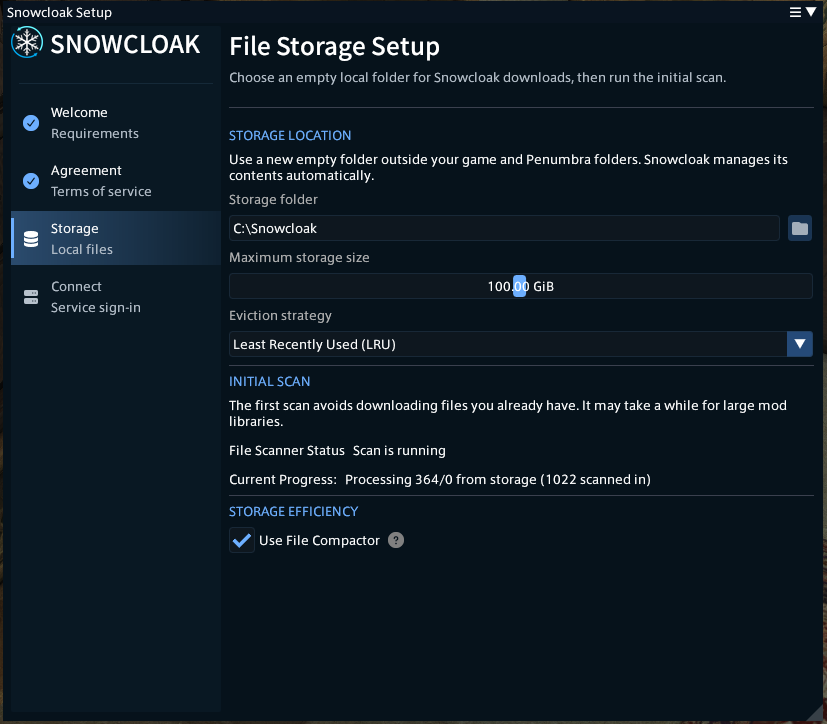
Snowcloak's cache automatically deletes files if it gets too full. Setting a large cache allowance means you delete fewer files, meaning fewer re-downloads if you encounter that mod again in the future.
100GB is the default setting, and recommended. The eviction strategy determines how Snowcloak clears out files that go over your limit - LRU gets rid of files based on when they were last seen, LFU gets rid of files that aren't used often, and TTL just gets rid of files after a flat 30 days, whether they're used or not.
If you're on Windows, you'll also have the option to use the File Compactor - this uses Windows' built-in compression to shrink files, letting your cache go a little bit further. There's barely any performance impact for this, so it's recommended to leave this on. Unfortunately, neither WINE nor Proton expose the features needed for this to work properly, so this feature is unavailable on Linux and Mac.
Once accepted, Snowcloak will give your Penumbra folder a quick scan, and set up internal pointers to them - this way, Snowcloak can avoid downloading files you already have if you come across someone else using them. The file scanner will report its progress, and move on to the next step when done.
Accounts
Snowcloak operates on the concept of "secret keys" - long, complicated alphanumeric strings that operate as your authentication.
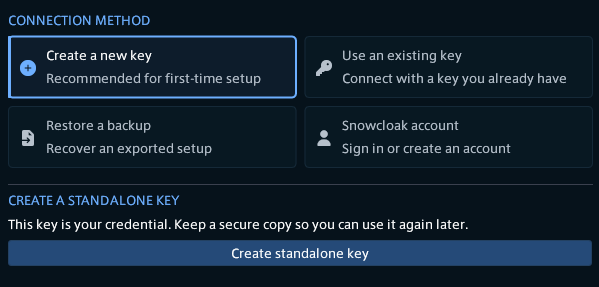
When first setting up, you'll see this screen. The two options that are of interest to you are "Create a new key" and "Snowcloak account".
The preferred option is "create a new key". This will save a key locally, to your computer, and log you in. With this option, you are responsible for managing the safety of your key.
If you think you might struggle, or reinstall your OS often, you can also choose to use a Snowcloak account. This allows you to use a username and password to log in. This will tie your UID (the code you share with people) to your account, and regenerate keys if you ever need to log in again, as well as automatically re-assigning them to the characters that last used them.
Snowcloak announced the deprecation of XIVAuth with version 3.0, and removed it in version 4.0. If you used XIVAuth to log in, those keys are still active, and you can migrate to a Snowcloak Account in the Settings --> Service Settings tab, or export a backup to handle keys yourself. Handling keys yourself is the preferred option.
For returning users, "Use an existing key" allows you to paste your last key from a text file, and "Restore a backup" allows importing a JSON backup generated by Snowcloak previously.
Once you've done that, you're logged in! Time to set up your first sync.